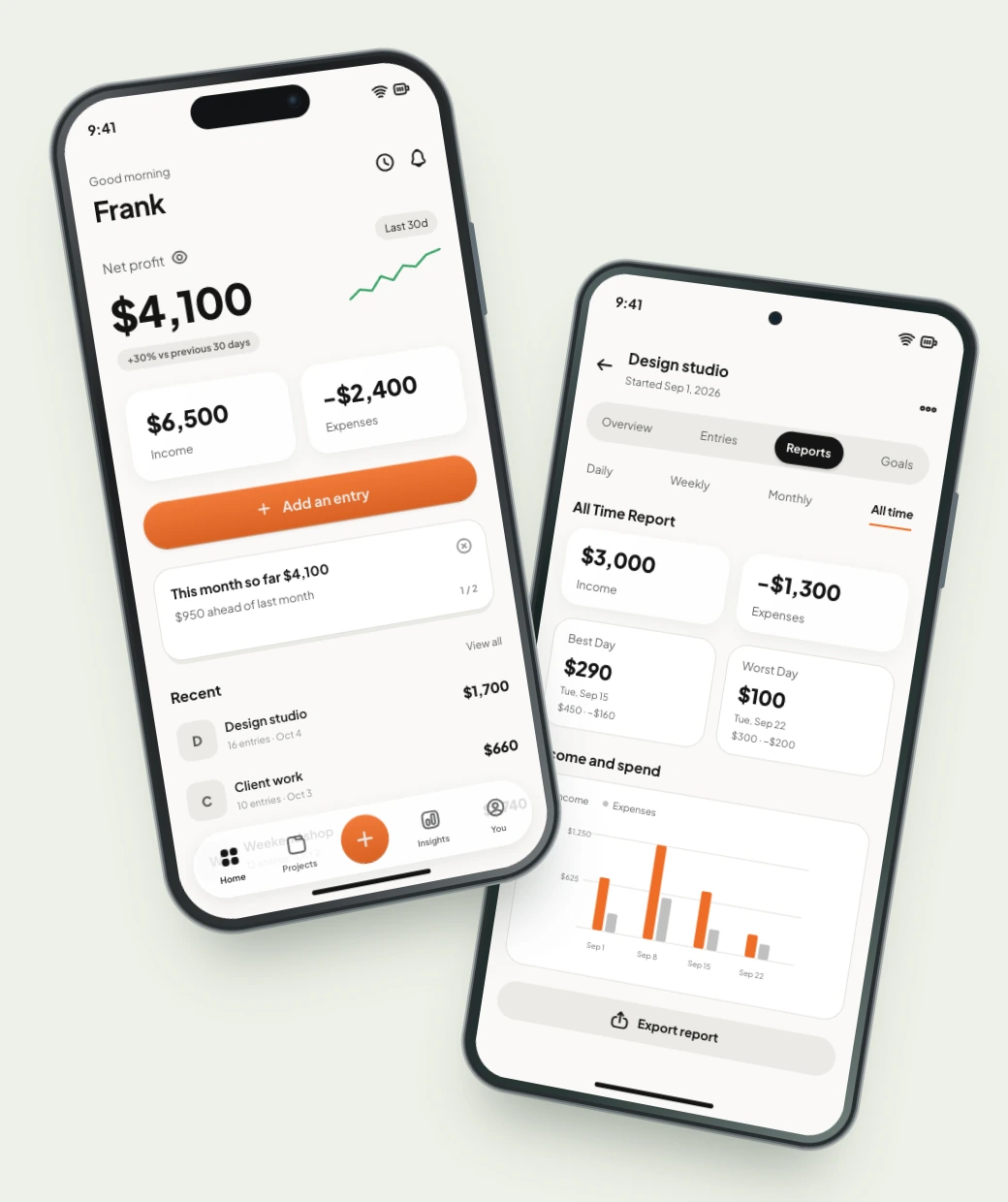
Rhydle is an iPhone and Android app for tracking income and expenses by project. A project can be a client, a job, a product, or another part of your work. Enter the numbers for each one to see its results, follow its progress, and decide what to do next.
When does a spreadsheet become hard to keep up with?
The receipt is in your bag. The payment is in your bank app. Your spreadsheet still needs updating. By the time you sit down, you’re trying to remember which cost belonged to which job.
A spreadsheet works well when you want your own formulas and reports. The hurdle is setting it up and keeping every row current. If you want a ready-made place on your phone, Rhydle groups the income and expenses you enter by project, with notes and charts. You can still export the records to your spreadsheet.
How do you track several clients or jobs?
Create a separate project for each client, job, or activity whose numbers you want to see separately. Record its income and expenses there, rather than mixing everything into one total. A client website, a batch of orders, and a video editing job can each have their own place.
-
Give it its own place
Create a separate project for each client, job, or activity you want to follow.
-
Add the numbers that belong to it
Record income and expenses, with categories and notes to help you remember the details.
-
Come back to the whole story
Review entries, follow the charts, and see how that project is changing.
How do you know whether a job covered its costs?
Subtract the expenses you recorded for the job from its recorded income. A positive result is project profit; a negative result means those expenses were higher than the income. Check the same period and currency when comparing jobs.
For the wedding video, the $1,300 could be $180 for lens rental, $900 for an editor, and $220 for travel. A client website in the same month brings in $2,100 but costs $2,400, leaving a $300 loss. Together, the two projects bring in $5,100 and cost $3,700, leaving $1,400. Seeing each one separately helps you spot what needs a closer look.
These results come from the entries you record. They do not include unrecorded costs or the value of your own time. Rhydle tracks one-time setup costs separately from project profit.
Try it with your numbersCan you track goals as well as money?
Yes. Rhydle Pro lets you set an income target and a named goal you count, such as orders, leads, or app installs. You enter the progress yourself; Rhydle shows it against your target.
For a coffee stall, you could name a goal “Orders” and set a target of 200. Add the number of orders as you go, alongside the income and expenses. The goal stays with the project, so progress means more than money alone.
How can you compare two projects?
Use Compare in Rhydle Pro to view two projects side by side, with income, expenses, project profit, and trends. Use the same period when you want a like-for-like view.
One client may bring in more income. Another may have fewer expenses. A new project may still be getting started. The next move might be to grow something, adjust a cost, or give a slower project another look.
Can you keep using your spreadsheet?
Yes. Keep your project records in Rhydle, then export them to Excel or CSV when you want to work in a spreadsheet. You can use the app for keeping up with your work and a spreadsheet for your own analysis.
Both formats are available on Free and Pro. Free exports cover active projects within your available history; Pro adds archived projects, custom date ranges, and full history. See how exports work.